Test Builder
Problem statement: Today, creating a new test code in a laboratory environment is time-consuming and fragmented. The process can take 4–6 hours to build and validate, often forcing users to leave the workflow to gather required data across multiple systems.
Target audience: Laboratory managers who need to create a new test code for their labs.
Jobs to be done: Define the test name and description, establish the procedure and methodology, and add any required analytes. Configure batching rules, assign appropriate limits and reagents, specify container requirements, and complete a final validation before submitting the test.
Decision making: Reference to UX/UI best practices, direct user feedback, how well success matrices are met.

Morgann Bright
Home
About
Test Builder
Problem statement: Today, creating a new test code in a laboratory environment is time-consuming and fragmented. The process can take 4–6 hours to build and validate, often forcing users to leave the workflow to gather required data across multiple systems.
Target audience: Laboratory managers who need to create a new test code for their labs.
Jobs to be done: Define the test name and description, establish the procedure and methodology, and add any required analytes. Configure batching rules, assign appropriate limits and reagents, specify container requirements, and complete a final validation before submitting the test.
Decision making: Reference to UX/UI best practices, direct user feedback, how well success matrices are met.
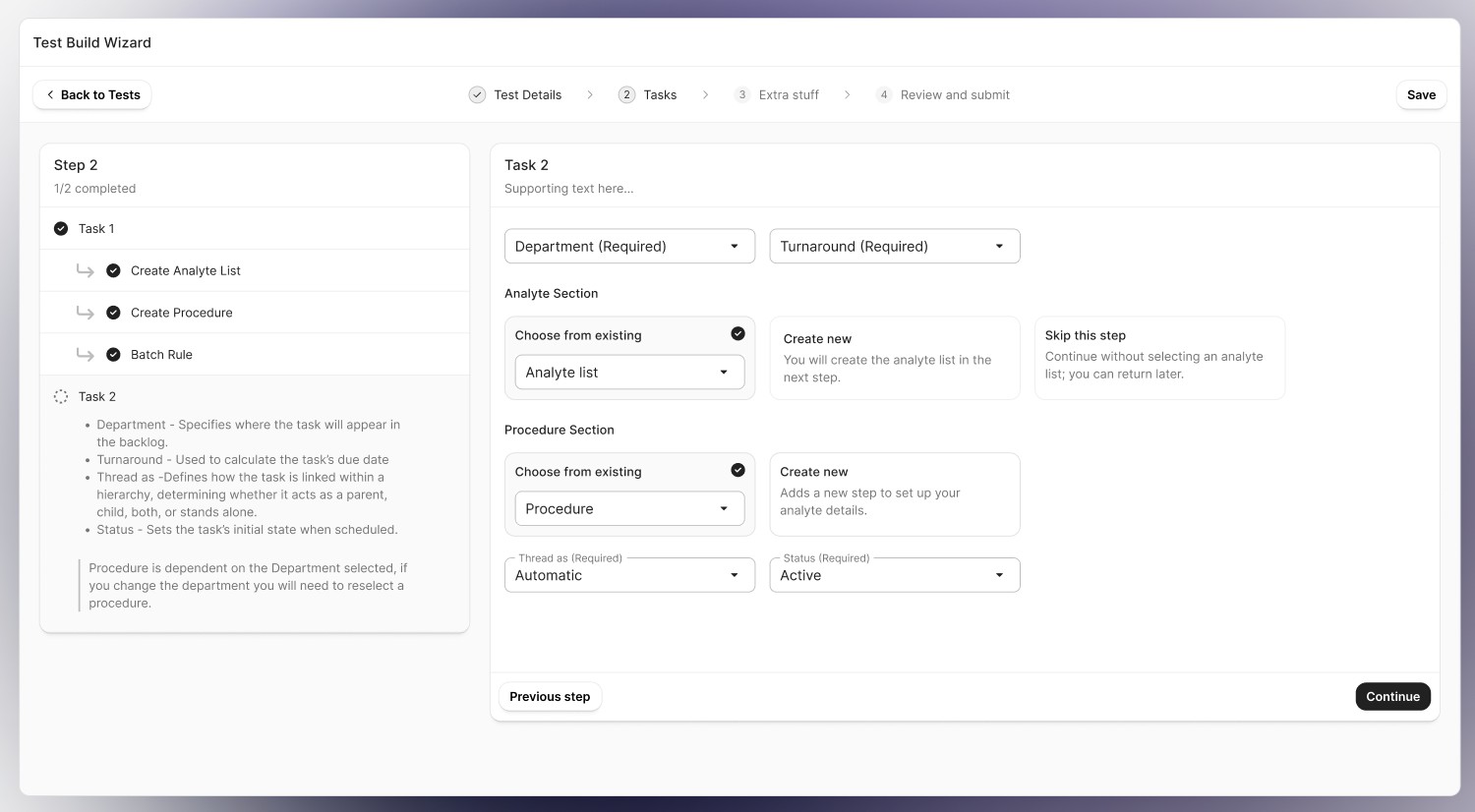
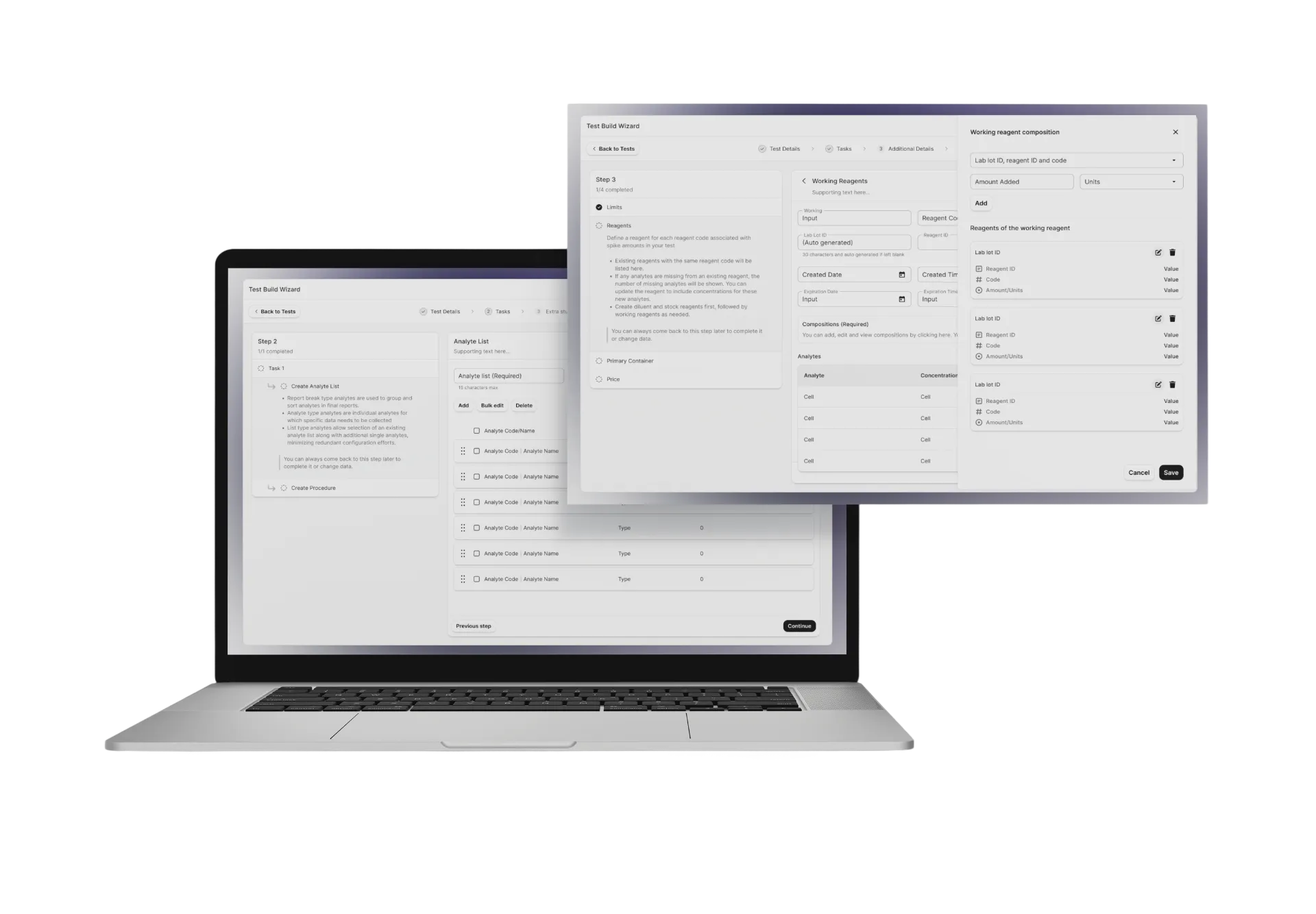
UX Decision: The original flow had 20+ steps. Through thoughtful IA, I consolidated and restructured them into a two-tiered stepper, significantly reducing cognitive load.
UI Decision: Replaced standard dropdowns for analyte/procedure selection with a card-based treatment, improving visual hierarchy and surfacing options upfront.
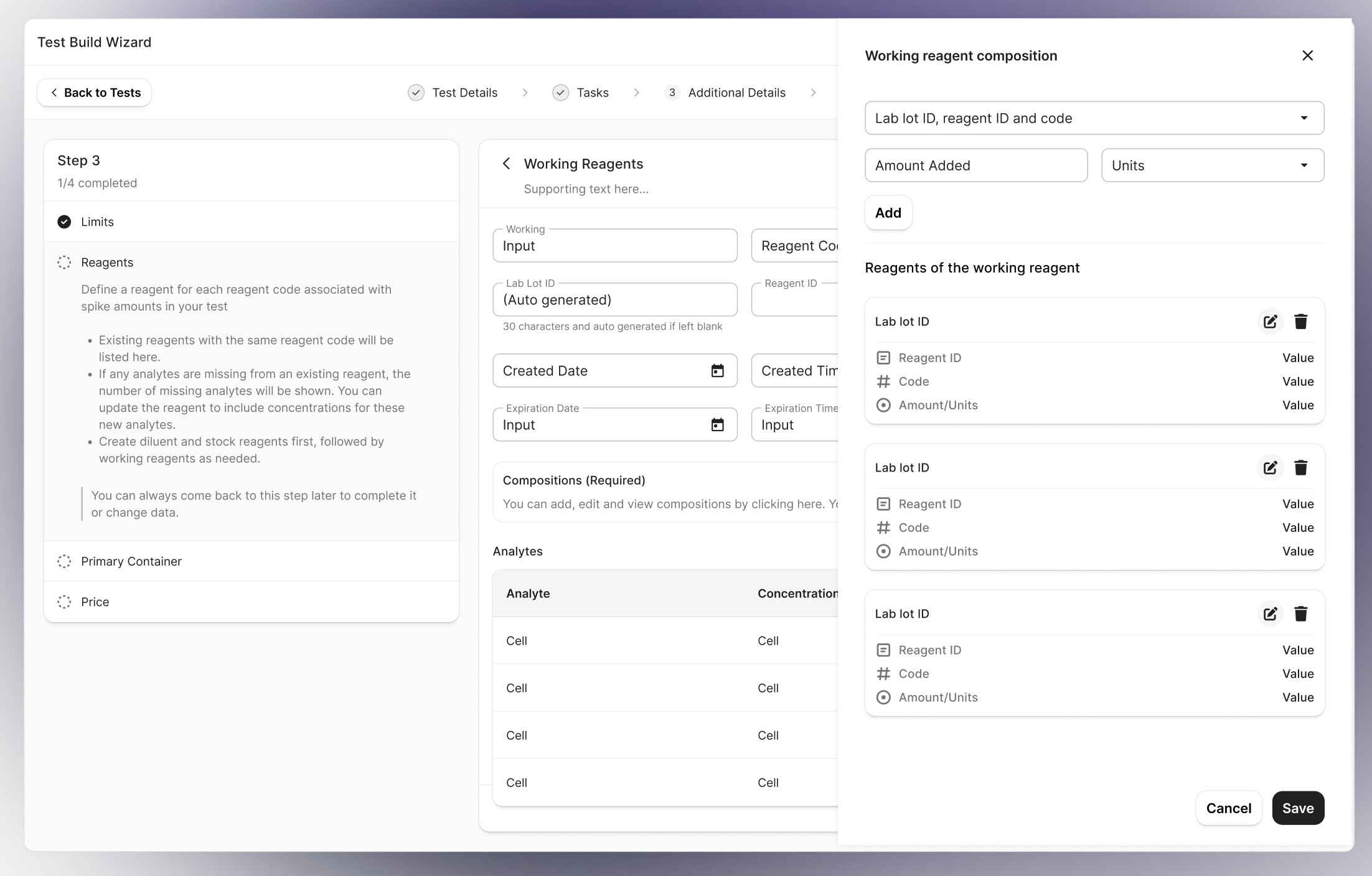
Solution: Expandable drawers that surface additional, lab-specific information only when needed. This allowed advanced users and larger labs to access deeper configuration options, while keeping the core workflow streamlined for users who didn’t require that level of detail.
Challenge: The primary challenge was balancing the needs of multiple user groups, experienced lab managers and newer technicians. As well as accommodating the wide variation between labs, such as smaller versus larger operations. These groups often had conflicting priorities and levels of complexity.
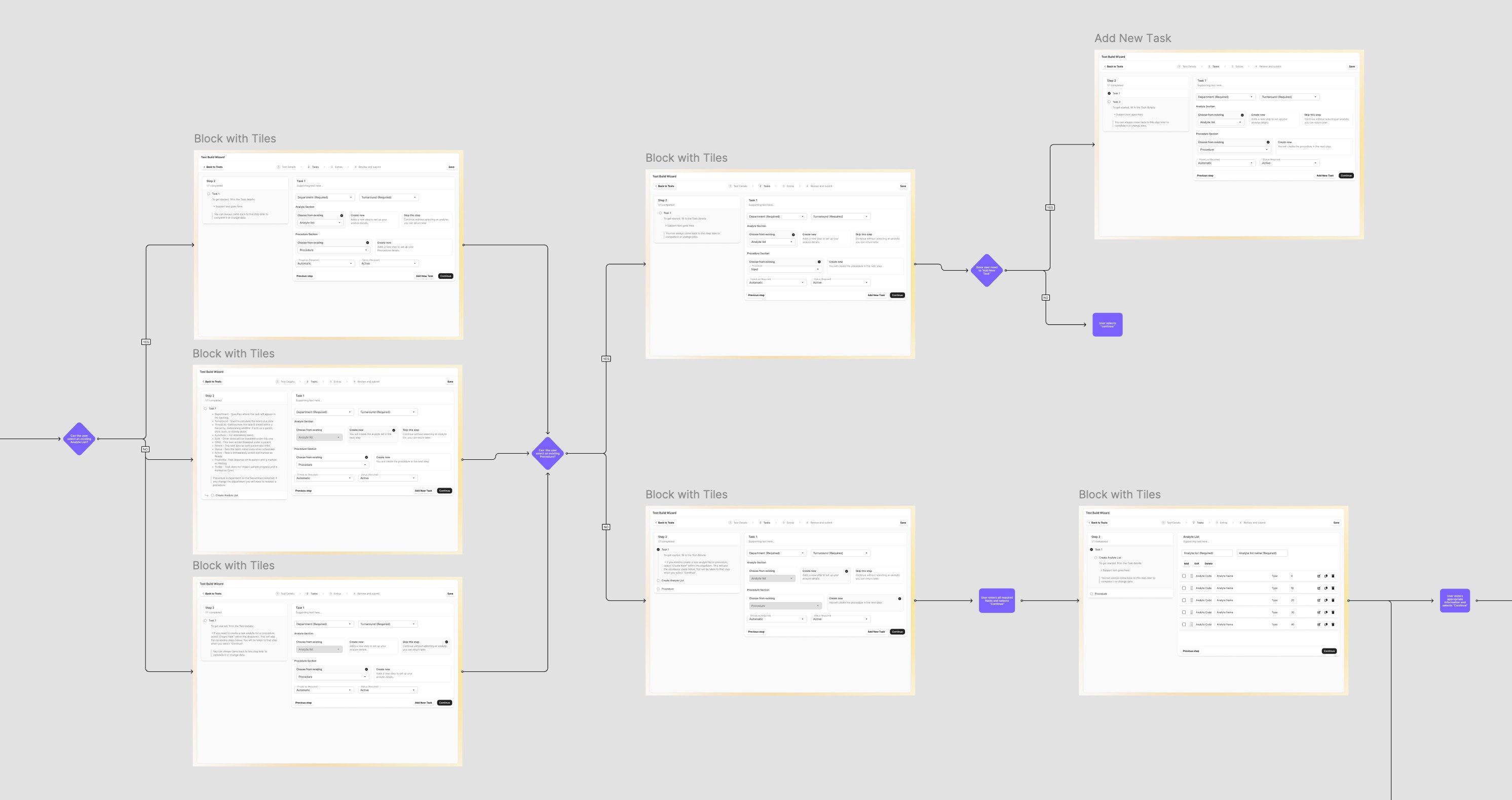
UX Decision: Should selecting "Create new analyte" immediately open the new analyte screen?
We opted to add it as a stepper step instead — skipping it saved users 5+ clicks and eliminated unnecessary backtracking.
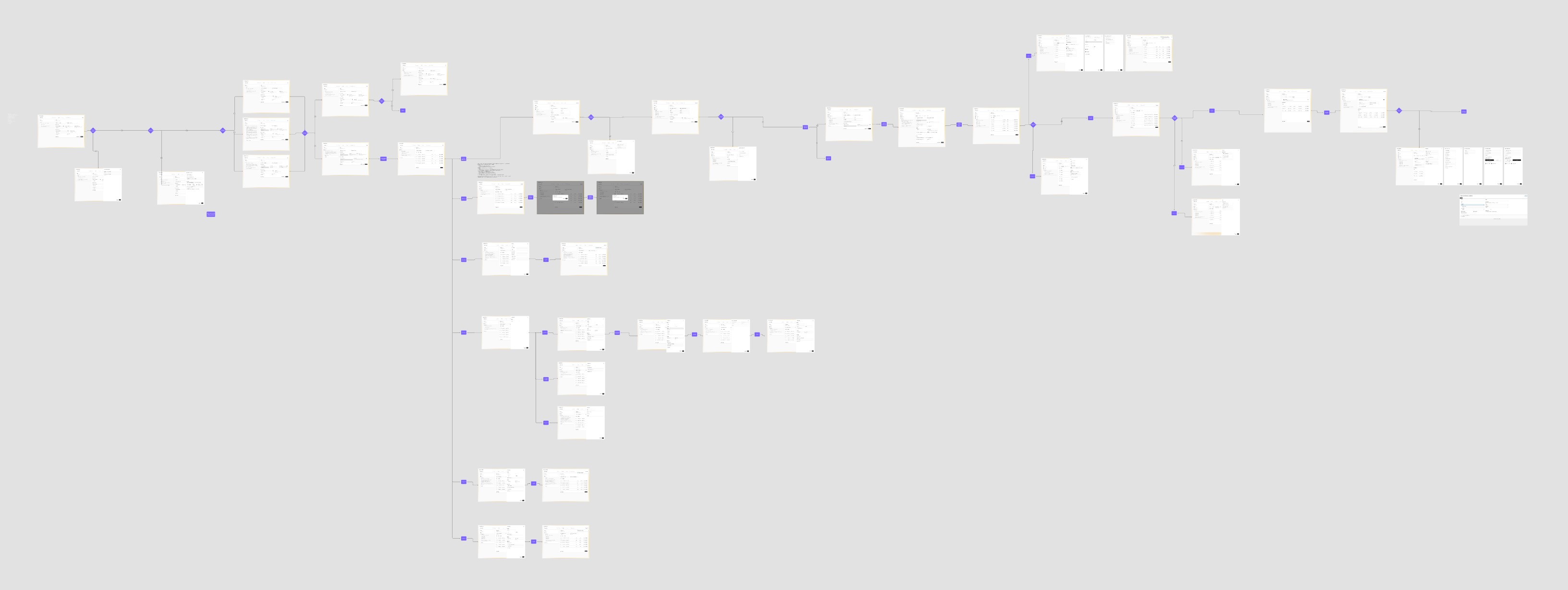
Discovery: Given the complexity, I led with annotated workflows covering happy paths and edge cases, then iterated from lo-fi wireframes to hi-fi designs. Assembled into an end-to-end flow to align product and engineering.
Morgann Bright
Home
About
Test Builder
Problem statement: Today, creating a new test code in a laboratory environment is time-consuming and fragmented. The process can take 4–6 hours to build and validate, often forcing users to leave the workflow to gather required data across multiple systems.
Target audience: Laboratory managers who need to create a new test code for their labs.
Jobs to be done: Define the test name and description, establish the procedure and methodology, and add any required analytes. Configure batching rules, assign appropriate limits and reagents, specify container requirements, and complete a final validation before submitting the test.
Decision making: Reference to UX/UI best practices, direct user feedback, how well success matrices are met.
UI Decision: Replaced standard dropdowns for analyte/procedure selection with a card-based treatment, improving visual hierarchy and surfacing options upfront.
UX Decision: The original flow had 20+ steps. Through thoughtful IA, I consolidated and restructured them into a two-tiered stepper, significantly reducing cognitive load.
UX Decision: Should selecting "Create new analyte" immediately open the new analyte screen?
We opted to add it as a stepper step instead — skipping it saved users 5+ clicks and eliminated unnecessary backtracking.
Challenge: The primary challenge was balancing the needs of multiple user groups, experienced lab managers and newer technicians. As well as accommodating the wide variation between labs, such as smaller versus larger operations. These groups often had conflicting priorities and levels of complexity.
Solution: Expandable drawers that surface additional, lab-specific information only when needed. This allowed advanced users and larger labs to access deeper configuration options, while keeping the core workflow streamlined for users who didn’t require that level of detail.
Discovery: Given the complexity, I led with annotated workflows covering happy paths and edge cases, then iterated from lo-fi wireframes to hi-fi designs. Assembled into an end-to-end flow to align product and engineering.